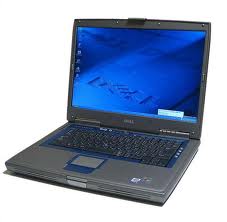
Dell Inspiron 8500 Laptop Manual

The Dell Inspiron 8500 laptop manual covers all the technical areas of the laptop. Find easy instructions to understand all the specs of the laptop. Whether you need to repair or even do a service. You will find easy to understand tips on the Dell Inspiron 8500 laptop with diagrams and explanation.

 Laptop Manual

If you have found problems to download the manual for Dell Inspiron 8500 laptop, feel free to email us and we will try to send you a working link to download the manual for Dell Inspiron 8500 laptop as soon as posible.

Download Link For Dell Inspiron 8500 Laptop Manual

Download Dell Inspiron 8500 Laptop Manual

Read More..

Notebook Service Manual Dell Inspiron 9400

Notebook Service Manual Dell Inspiron 9400

Notebook Service Manual Dell Inspiron 9400

This section provides procedures for removing and installing the components in your computer. Unless otherwise noted, each procedure assumes that the following conditions exist:
  • You have performed the steps in Turning Off Your Computer and Before Working Inside Your Computer.
  • You have read the safety information in the Dell™ Product Information Guide.
  • A component can be replaced or—if purchased separately—installed by performing the removal procedure in reverse order.

The procedures in this document may require the following tools:
  • Small flat-blade screwdriver
  • Phillips screwdriver
  • Small plastic scribe
  • Flash BIOS update program CD
Download Notebook Service Manual Dell Inspiron 9400


Notebook Service Manual Dell Inspiron 9400

Read More..

Notebook Service Manual Dell XPS M1710

Notebook Service Manual Dell XPS M1710

Notebook Service Manual Dell XPS M1710

To download document :
  1. Click Download.
  2. In the File Download window, click Save.
  3. In the Save As window, click the Save in drop-down arrow and select a directory on your computers C: drive.
  4. Click Save.
  5. In the Download Complete window, click Close.

To unzip your downloaded file:
  1. Navigate to the directory location on your C: drive that you specified when you saved the Notebook Service Manual Dell XPS M1710 file.
  2. Double-click the .zip file you downloaded.
  3. In the .zip file window, click Extract and select the directory to which you downloaded the file.
  4. Click Extract and close the .zip file window.
To view a downloaded HTML document, start your browser and click the index.htm file.

To view the PDF files require Adobe® Acrobat® Reader® 5.0 or later, which can be downloaded from the Adobe website at www.adobe.com.

Read More..

Dell Latitude E6400 XFR Specifications

Dell Latitude E6400 XFR Specifications

Display
Diagonal Size : 14.1"
Max Resolution : WXGA (1280 x 800)
Technology : transmissive display with DirectVue™ technology for outdoor readability

Graphics Card
NVIDIA® Quadro® NVS 160M 256MB DDR2
Intel® Graphics Media Accelerator 4500MHD

Processor
Type : Intel® CoreTM 2 Duo P9700
Speed : 2.8 GHz
FSB : 1066 MHz
Cache : 6 MB L2

Type : Intel® CoreTM 2 Duo P8700
Speed : 2.53 GHz
FSB : 1066 MHz
Cache : 3 MB L2

Chipset
Intel® 45 Express Chipset

Memory
Up to 8GB DDR2 SDRAM 800Mhz - 2 DIMMS

Solid State Drive
Up to 128GB

Optical Drive
DVD-ROM
CD-RW/DVD
DVD+/-RW

Mobile Broadband
Dell Wireless 5720 (EvDO & GPS) Mini Card
Dell Wireless 5530 (Tri-band HSDPA 7.2/HSUPA 2.0 & GPS) Mini-Card

Communication
Modem : 56K v924 Internal Modem
LAN : 10/100/1000 Gigabit Ethernet network interface adaptor

WLAN :
Dell Wireless 1397 (802.11g)
Dell Wireless 1510 (802.11a/g/n 2x2)
Intel® WiFi Link 5100 [802.11a/g/draft n (1x2)]
Intel WiFi Link 5300 [802.11a/g/draft n (3x3)]

Bluetooth : Dell Wireless 370 Bluetooth® 2.1 (optional)

Audio
2 speakers
Digital microphone

Interface
1 x IEEE - 1394
1 x docking connector
4 x USB 2.0
1 x VGA
1 x Display Port
1 x RJ-11 (optional)
1 x RJ-45
1 x eSATA
1 x headphone/speaker out
1 x mic

Slots
Card Reader : 5-in-1 card reader
Expresscard/54
Type I/II PCMCIA
Smart Card Reader
Contactless Smart Card Reader

Camera
Integrated webcam (optional)

Power
Battery :
6-cell
12-cell high-capacity (optional)

AC adapter : 90W with cord wrapping

Security
Steel-reinforced Cable Lock Slots
Battery and Hard Drive Locks
Fingerprint Reader (optional)
TPM 1.28
ControlVault - secure credential management within a trusted boundary
Trend Micro Worry-Free Business Security Services (up to 3 year subscription)
802.11 Wi-Fi Protected Access (WPA)
802.11i (WPA2)
Virtual Private Networks (VPN) 802.1x with EAP modes and compatible with CCX 4.0

Operating System
Genuine Windows® 7 Professional
Genuine Windows® 7 Home Premium
Genuine Windows Vista® Home Basic
Genuine Windows® 7 Ultimate
Genuine Windows® 7 Professional 64-bit

Dimensions and Weight
Width : 353.06 mm (13.9")
Depth : 55.88 mm (2.2")
Height : 256.54 - 291.1 mm (10.1 - 11.5")
Weight : Starting at 3.86 kg (8.5 lbs)

Dell Latitude E6400 XFR


Dell Latitude E6400 XFR
Read More..

Dell Latitude E6420 Specs

Dell Latitude E6420Dell Latitude E6420 boasts 14-inch display with HD+ or HD resolution with optional multi-touch touchscreen for display with HD resolution. This laptop is built for the new mobile business class with the durability, security and convenient manageability. Dell Latitude E6420 is powered by second generation Intel Core i7/i5/i3 processor. Its equipped with Mobile Intel QM67 Express Chipset, up to 8 GB DDR3 SDRAM at 1333Mhz using two DIMMS slots. For stroage, it offers up to 500 GB 7200 rpm HDD,up to 256 GB SSD, and up to 250 GB 5400 rpm HDD. Stay productive with a variety of battery life options, including a four-cell, six-cell, nine-cell and nine-cell 87Whr 3-year limited hardware warranty Li-Ion battery options. There are Network connector RJ45, four USB 2.0 ports (1 USB/eSATA combo), Docking Connector, stereo headphone/microphone combo jack, HDMI, VGA, USB 3.0 Module option via optical bay on Dell Latitude E6420. This laptop has 54mm ExpressCard slot, 1 Full and 2 Half Mini Card Slots, and optional HD video webcam.


Dell Latitude E6420 Specs

Display
Diagonal Size : 14.0”
Resolution : 1600 x 900 (HD+)
Anti-Glare LED

14.0” HD+ (1600x900)
Diagonal Size : 14.0”
Resolution : 1366 x 768 (HD)
Options :
Anti-Glare LED
LED with 2 finger multi-touch touchscreen

Graphics Card
Intel® HD Graphics 3000
NVIDIA® NVSTM 4200M (DDR3 512 MB) discrete graphics with Optimus technology

Processor
Type : Intel® Core™ i7-2720QM quad-core processor
Speed : 2.2 GHz with Turbo Boost up to 3.3 GHz
Cache : 6 MB L3

Type : Intel® Core™ i7-2620M dual-core processor
Speed : 2.7 GHz with Turbo Boost up to 3.4 GHz
Cache : 4 MB L3

Type : Intel® Core™ i5-2540M dual-core processor
Speed : 2.6 GHz with Turbo Boost up to 3.3 GHz
Cache : 3 MB L3

Type : Intel® Core™ i5-2520M dual-core processor
Speed : 2.5 GHz with Turbo Boost up to 3.2 GHz
Cache : 3 MB L3

Type :Intel® Core™ i3-2310M dual-core processor
Speed : 2.1 GHz
Cache : 3 MB L3

Chipset
Mobile Intel® QM67 Express Chipset

Memory
Up to 8 GB DDR3 SDRAM at 1333Mhz
Two DIMMS slots

Storage
Up to 500 GB 7200 rpm HDD
Up to 256 GB SSD
Up to 250 GB 5400 rpm HDD

Optical Drive
DVD-ROM, DVD+/-RW

Communication
LAN : 10/100/1000 Gigabit Ethernet

WLAN & WiMAX options :
Intel® Centrino® Advanced-N 6205
Intel® Centrino® Advanced -N + WiMAX 6250
Intel® Centrino® Ultimate-N 6300
Dell Wireless 1501 (802.11 b/g/n 1x1)
Dell Wireless 1530 (802.11 a/g/n 2x2)

Mobile broadband & GPS :
Dell Wireless™ 5630 Multi-mode HSPA-
EVDO Mini Card (Gobi™ 3000) with A-GPS
Dell Wireless™ 5550 Single-mode
HSPA Mini Card with A-GPS

Bluetooth : Dell Wireless 375 Bluetooth® 3.0

Inputs and Controls
Dual Pointing Keyboard (Optional Backlit keyboard)
Multi-touch Touchpad
Multi-touch Panel Option (two-finger touch)

Audio
Stereo headphone/microphone combo jack
Integrated, noise reducing array microphones
High quality speakers

Interface
1 x Network connector RJ45
4 x USB 2.0 (1 USB/eSATA combo)
1 x DockingConnector
1 x stereo headphone/microphone combo jack
1 x HDMI
1 x VGA
1 x USB 3.0 Module option via optical bay

Slots
Card Reader : Yes
54mm ExpressCard slot
1 Full and 2 Half Mini Card Slots

Camera
Optional Integrated HD video webcam & Dell Webcam Central software

Power
Battery options :
4-cell Li-Ion 40Whr with ExpressCharge™
6-cell Li-Ion 60Whr with ExpressCharge™
9-cell Li-Ion 97Whr
9-cell Li-Ion 87Whr 3-year limited hardware warranty
9-cell Li-Ion 97Whr Extended battery slice
3-cell 30Whr E-Modular Bay II battery

Adapter options :
65W / 90W AC Adapter (150W AC adapter for halogen free offering)
90W Auto/Air DC adapter (optional)

Battery Life :

Security
SmartCard Reader, optional Contactless SmartCard Reader/ Fingerprint Reader

Dimensions and Weight
Width: 352 mm (13.86”)
Depth : 241.00 mm (9.49”)
Height : 26.90 mm (1.06”)- 32.40 mm (1.28”)
Weight : starting at 2.07 kg (4.56 lbs) (with 4-cell battery and airbay)

Operating System
Genuine Windows® 7 Ultimate 64-bit
Genuine Windows® 7 Professional 64-bit
Genuine Windows® 7 Home Premium 64-bit
Genuine Windows® 7 Professional 32-bit
Genuine Windows® 7 Ultimate 32-bit

Dell Latitude E6420
Dell Latitude E6420Dell Latitude E6420
Read More..

Dell Latitude E6420 ATG Specs

Dell Latitude E6420 ATGDell Latitude E6420 ATG rugged laptop helps to boost your productivity while delivering the durability, productivity, security and convenient manageability. This rugged laptop is powered by 2nd genartion Intel Core i7/i5 processor. Latitude E6420 ATG comes with 14-inch HD wide view outdoor viewable display, Mobile Intel QM67 express chipset, optical drive, Dell Wireless 375 Bluetooth 3.0, high quality speakers, four USB 2.0 ports (one USB/eSATA combo), Network connector (RJ45), stereo headphone / microphone combo jack, VGA, docking connector, HDMI, USB 3.0 Module option via optical bay, full HD webcam, card reader, and 54 mm ExpressCard.

Dell Latitude E6420 ATG Specs

Display
Diagonal Size : 14.0”
Resolution : 1366 x 768 (HD)
Options :
Wide View Outdoor Viewable LED display
Wide View Outdoor Viewable Resistive Touchscreen LED

Graphics Card
Intel® HD Graphics 3000 NVIDIA® NVSTM 4200M (DDR3 512 MB)
Discrete Graphics with Optimus

Processor
Type : Intel Core™ i7-2720QM quad-core processor
Speed : 2.2 GHz with Turbo Boost up to 3.3 GHz
Cache : 6 MB L3

Type : Intel Core™ i7-2620M dual-core processor
Speed : 2.7 GHz with Turbo Boost up to 3.4 GHz
Cache : 4 MB L3

Type : Intel Core™ i5-2540M dual-core processor
Speed : 2.6 GHz with Turbo Boost up to 3.3 GHz
Cache : 3 MB L3

Type : Intel Core™ i5-2520M dual-core processor
Speed : 2.5 GHz with Turbo Boost up to 3.2 GHz
Cache : 3 MB L3

Chipset
Mobile Intel® QM67 Express Chipset

Memory
Up to 8 GB DDR3 SDRAM at 1333 Mhz
2 DIMMS slots

Storage
Up to 500 GB 7200 rpm HDD
Up to 256 GB SSD
Up to 250 GB 5400 rpm HDD

Optical Drive
DVD-ROM, DVD+/-RW

Communication
WLAN options :
Intel® Centrino® Advanced-N 6205
Intel® Centrino® Advanced-N + WIMAX 6250
Intel® Centrino® Ultimate-N 6300 D
Dell Wireless 1501 (802.11 b/g/n 1x1)
Dell Wireless 1530 (802.11 a/g/n 2x2)

Bluetooth : Dell Wireless 375 Bluetooth® 3.0

Mobile broadband & GPS options :
Dell Wireless™ 5630 Multi-mode HSPA- EVDO Mini Card (Gobi™ 3000) with A-GPS
Dell Wireless™ 5550 Single-mode HSPA Mini Card with A-GPS

Audio
High Quality Speakers
Integrated, noise reducing array microphones
Stereo headphone/Microphone jack

Interface
4 x USB 2.0 (one USB/eSATA combo)
1 x Network connector (RJ45)
1 x Stereo headphone/Microphone combo jack
1 x VGA
1 x Docking Connector
1 x HDMI
USB 3.0 Module option via optical bay

Slots
Card Reader : Yes
54 mm ExpressCard
1 Full and 2 Half Mini Card Slots
SmartCard Reader, optional Contactless SmartCard Reader/Fingerprint Reader

Camera
Integrated Full HD video webcam & Dell webcam central software (optional)

Operating System
Genuine Windows Vista® Home Basic 32-bit
Genuine Windows Vista® Business 32-bit
Genuine Windows Vista® Business 64-bit
Genuine Windows Vista® Ultimate 32-bit
Genuine Windows® 7 Home Premium 32-bit
Genuine Windows® 7 Home Premium 64-bit
Genuine Windows® 7 Ultimate 32-bit
Genuine Windows® 7 Ultimate 64-bit
Genuine Windows® 7 Professional 32-bit
Genuine Windows® 7 Professional 64-bit

Dell Latitude E6420 ATG
Read More..

Dell Inspiron 17R N7110 Specs

Dell Inspiron 17R - N7110Dell Inspiron 17R - N7110 is powered by Intel Core i3-2310M dual-core processor. N7110 comes with 17.3-inch display with a resolution of 1600 x 900 (HD+). Personalize this laptop with SWITCH by Design Studio and optional interchangeable lids. Inspiron N7110 is equipped with Intel HM67 express chipset, an optical drive, SRS Premium Sound™ with two 2 watt speakers, two USB 3.0 ports, one USB 2.0 with E-SATA & Power Share, one USB 2.0 port, VGA, HDMI V1.4, AC adapter connector, LAN (RJ45), Integrated network connector 10/100, Audio jacks (1 line-out, 1 Mic-in), 8-in-1 card reader (SD, SDXC, SDHC, MMC, MMC+, MS, MS Pro, xD), and 1.0 MegaPixel (1280 x 720 pixel) native HD webcam. It offers up to 500 GB 5400 rpm SATA hard drive.

Dell Inspiron 17R - N7110 Specs

Display
Diagonal Size : 17.3”
Resolution : 1600 x 900

Graphics Card
Intel HD Graphics/HD Graphics 3000 with up to 1.6GB Dynamic Video Memory
NVIDIA® GeForce® GT 525M (128-bit) 1GB

Processor
Type : Intel® Core™ i3-2310M dual-core processor
Speed : 2.10 GHz
Cache : 3 MB L3

Chipset
Mobile Intel® 6 Series Express Chipset (HM67)

Memory
3 GB Shared Dual Channel DDR3
4 GB Shared Single Channel DDR3
6 GB Shared Dual Channel DDR3

Storage
Up to 500 GB 5400 rpm SATA hard drive

Optical Drive
Internal tray-load DVD+/-RW or optional internal tray-load Blu-ray Disc™ Combo (Read BD, Burn CD/DVD) Drive

Communication
WLAN & Bluetooth options :
Intel® Centrino® Wireless-N 1030 (1x2 bgn + Bluetooth)

WiMAX options :
Intel® Centrino® Wireless-N + WiMAX 6150 (1x2 bgn + WiMax)

Audio
SRS Premium Sound™, two 2 watt speakers
Subwoofer @ 3W

Interface
2 x USB 3.0
1 x USB 2.0 with E-SATA & Power Share
1 x USB 2.0
1 x VGA
1 x HDMI V1.4
1 x AC adapter connector
1 x LAN (RJ45)
1 x Integrated network connector 10/100
Audio jacks (1 line-out, 1 Mic-in)

Slots
Card Reader : 8-in-1 card reader (SD, SDXC, SDHC, MMC, MMC+, MS, MS Pro, xD)

Camera
1.0 MegaPixel (1280 x 720 pixel) native HD webcam

Power
Battery :
6-cell Li-Ion 48WHr
9-cell Li-Ion 90WHr (sold separately)

Dimensions and Weight
Width : 418.4 mm (16.50”)
Depth : 286.8 mm (11.30”)
Height : 31.3 - 35.6 mm (1.23 - 1.40”)
Weight : starting at 3.24 kg (7.14 lbs)

Operating System
Genuine Windows® 7 Home Premium 64-bit

Dell Inspiron 17R - N7110
Dell Inspiron 17R - N7110Dell Inspiron 17R - N7110
Read More..

Dell Inspiron 13z N311z Specs

Dell Inspiron 13z - N311z laptopDell Inspiron 13z - N311z laptop comes with 13.3-inch HD WLED True-Life display and Intel Core i3-2330M dual-core processor. This notebook is equipped with Intel HD graphics 3000, Intel 6 series chipset, up to 320 GB 7200 rpm HDD, Intel Centrino Wireless-N 1030 with Bluetooth v3.0 + HS, HDMI, one USB 2.0 powershare combo, two USB 3.0 ports, headphone/microphone combo, 6-cell Li-Ion 65 Whr battery, 1.0 MP HD webcam, and 8-in-1 memory card reader which supports SD, SDXC, SDHC, MS, MS-PRO, MMC, MMC+, and xD.


Dell Inspiron 13z- N311z Specs


Display

Diagonal Size : 13.3” (33.78 cm)

Resolution : 1366 x 768 (HD)

WLED True-Life


Graphics Card

Intel® HD Graphics 3000


Processor

Type : Intel® Core™ i3-2330M dual-core processor

Speed : 2.20 GHz

Cache : 3 MB L3


Chipset

Intel® 6 series


Memory

2 GB (1 x 2GB) 1 DIMM DDR3 1333Mhz

4 GB (1 x 4GB) 1 DIMM DDR3 1333Mhz


Storage

Up to 320 GB 7200 rpm


Optical Drive

External DVD+/RW (optional)


Communication

LAN : 10/100/1000

WLAN & Bluetooth : Intel® Centrino® Wireless-N 1030 with Bluetooth v3.0 + HS


Audio

2 x 2 Watt


Interface

1 x AC Power-in

1 x HDMI

1 x network

1 x USB 2.0 powershare combo

2 x USB 3.0

1 x headphone/microphone combo


Slots

Card Reader : 8-in-1 memory card reader (SD, SDXC, SDHC, MS, MS-PRO, MMC, MMC+, xD)


Camera

1.0 MP HD webcam


Power

Battery : 6-cell Li-Ion 65 Whr


Security

Kensington lock


Dimensions and Weight

Width : 332.0 mm (13.1”)

Depth : 241.3 mm (9.5”)

Height : 22.2 – 22.7 mm (0.87 – 0.89”)

Weight : starting weight of 1.76 kg (3.9 lbs)


Operating System

Genuine Windows® 7 Home Premium 64-bit


Dell Inspiron 13z

Dell Inspiron 13z - N311z laptop

Read More..

Dell Inspiron Laptop

Recently I repaired a Dell Inspiron Laptop. This one had a virus. The user had attempted to remove the virus himself to no avail. It took 5 hours but eventually I was able to remove the trojan virus that had embedded itself in several parts of the registry and even backup restore points the user had created. Its no wonder he couldnt remove the virus since every time he would reboot the computer would be reinfected from one of the backup restore points. After this windows would finally allow the computer to update itself. In addition, there were quite a few things slowing the computer. One of the biggest problems I saw was he had 2 antivirus programs running. I removed both, one was non-updating and the other Ive never heard of, and installed AVG Antivirus from www.download.com. After this and a couple of tweaks the laptop sped along doing what it needed to do for the user. Another job well done.

BRM Laptop Repair
3171 N. High St.
Columbus, OH 43202

www.BRMLaptopRepair.com
laptop.repair@gmx.com
614-313-9901
Read More..

Dell 1521 that had a very pale image on the screen and no backlight

I picked up 3 laptops yesterday.

The first laptop was a Gateway laptop that has a dc power connector. This will take approximately 2 hours to fix. In addition, the customer was not able to connect to his wireless network so I will have to fix this after the connector was fixed.

The 2nd laptop was a Dell 1521 that had a very pale image on the screen and no backlight. The customer stated that the bottom portion of the screen got very hot and then the light went out. 90% of the time this is an inverter issue and the the other 10% is a bad screen. With the inverter being the cheapest component, this is always the first item to try.

The 3rd laptop was an acer that had a broken screen. I always like hearing the stories about how the lcd screen was broken. Ive heard everything from the customer stepping on the computer to it getting hit with every object under the sun. In this case, it was an elbow that took out the screen. A cracked screen is usually indicative of a spider web fracture pattern across the screen and multiple lines and colors not normally seen. Some of the screen still works but regardless it needs replaced.


Read More..
Blog Archive

Powered by Blogger.